Part 4 ended with PixelScope doing something real — scanning for Bluetooth devices, reading RSSI from the modern Bleak API, and displaying everything in a Rich terminal UI. That was the foundation. This session was about turning a foundation into a building.
The single biggest change: PixelScope no longer exits. It watches.
A Real Package Structure
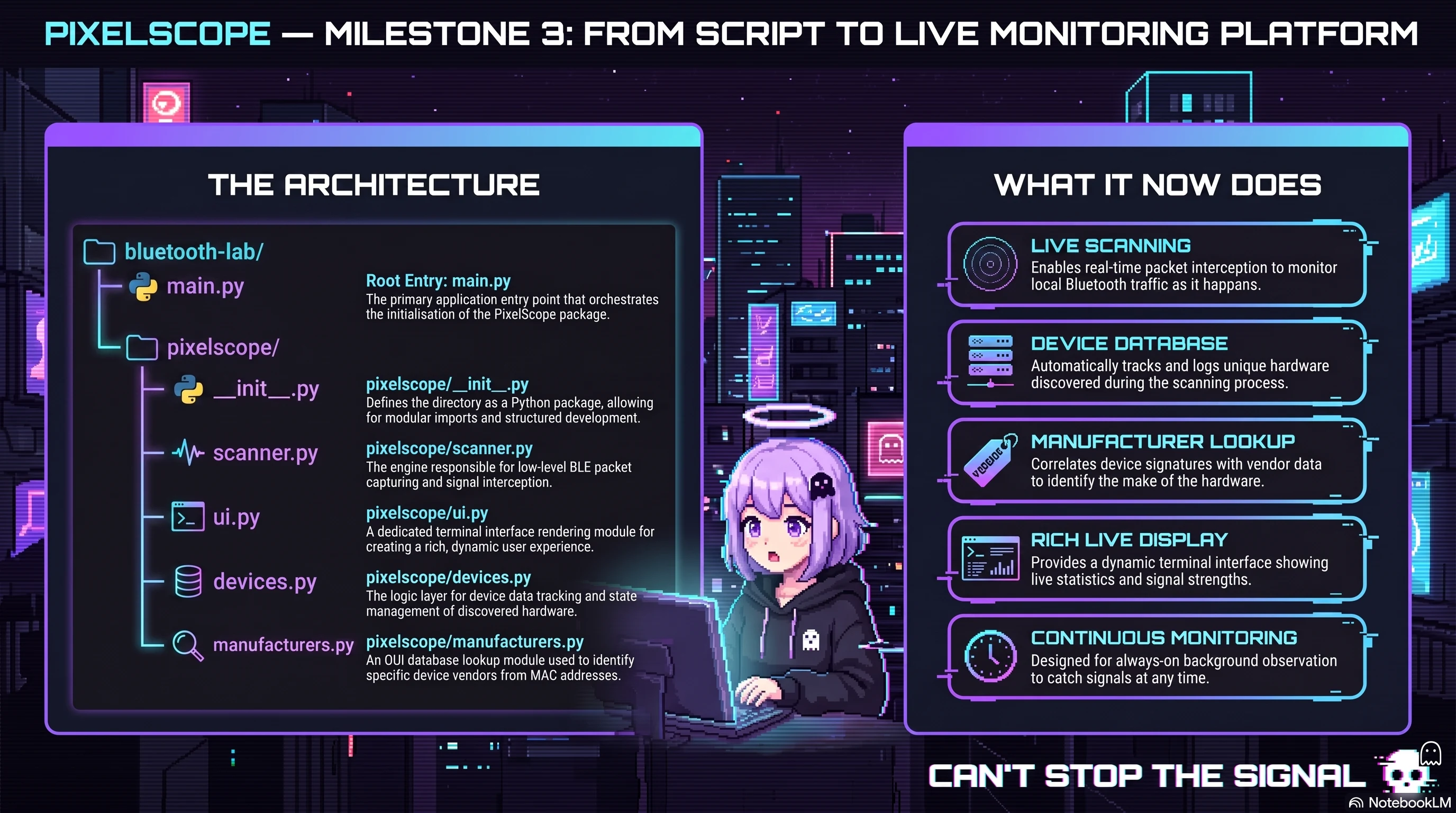
The first task was housekeeping that would pay off immediately. Everything that had lived in one growing Python file got split into a proper package:
bluetooth-lab/
│
├── main.py
│
├── pixelscope/
│   ├── __init__.py
│   ├── scanner.py
│   ├── ui.py
│   ├── devices.py
│   └── manufacturers.py
│
└── venv/
| Module | Responsibility |
|---|---|
| main.py | Starts the application |
| scanner.py | Bluetooth scanning |
| ui.py | Rich terminal interface |
| devices.py | Device database and tracking |
| manufacturers.py | Bluetooth company lookup |
This is one of those refactors that feels like it slows you down in the moment and saves you enormous amounts of time over every session that follows. Each module has one job. When something breaks, you know exactly where to look.
The Device Database
Previously each scan was stateless — PixelScope would find devices, display them, and forget everything the moment it finished. That works fine for a one-off check, but it's useless for monitoring.
The fix was a DeviceRecord — a structured object that tracks everything PixelScope knows about a device across its entire lifetime in the current session:
address      ← Bluetooth MAC address
name         ← Device name (or address if unknown)
manufacturer ← Company from OUI lookup
rssi         ← Current signal strength
first_seen   ← Timestamp of first detection
last_seen    ← Timestamp of most recent advertisement
detections   ← Total number of times seen
known        ← New / Known state
With a device database in place, PixelScope can start answering different questions. Not just "what's nearby right now?" but "how long has this device been here?" and "how many times has this address advertised?"
Manufacturer Lookup
Bluetooth MAC addresses aren't random — the first three bytes (the OUI, or Organisationally Unique Identifier) identify the manufacturer. Apple devices always start with Apple's OUI. Samsung devices with Samsung's. Nordic Semiconductor's nRF52840 dongle with Nordic's.
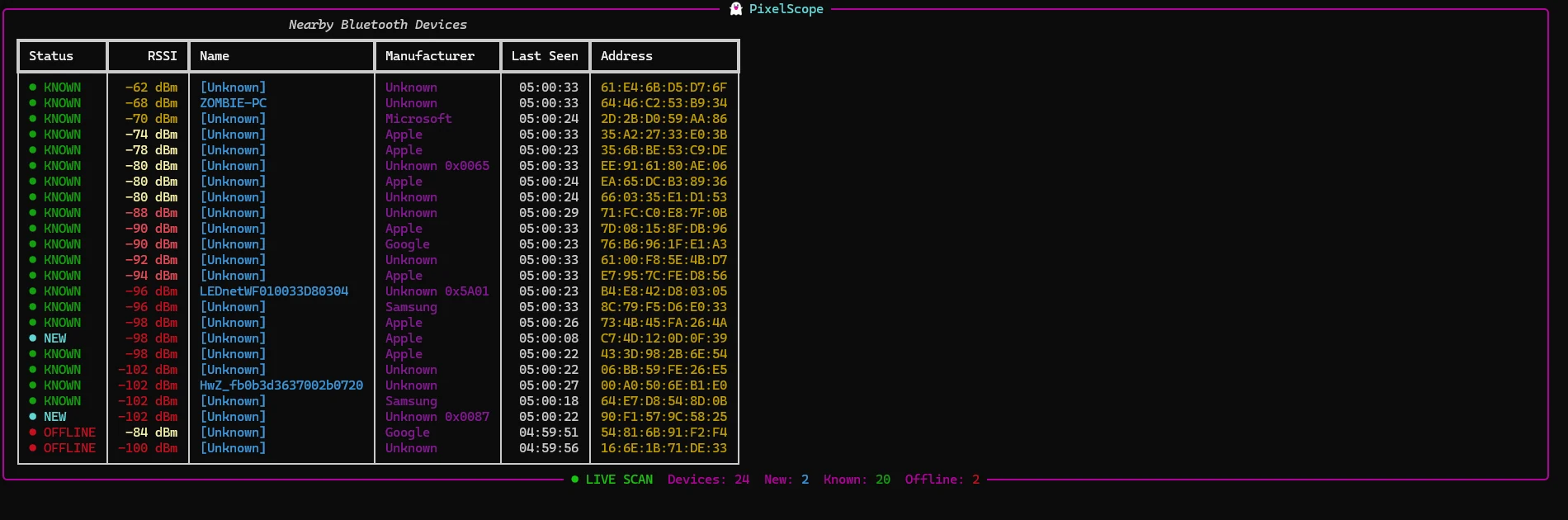
Adding a manufacturer lookup module meant that the terminal output went from rows of meaningless hex addresses to something actually readable. An unknown device with address EE:91:61:80:AE:06 becomes "Apple" with a random MAC — which immediately tells you it's almost certainly a phone cycling addresses for BLE Privacy (exactly what Part 2 covered).
Continuous Monitoring
This was the biggest architectural change. The old flow looked like this:
Start → Scan 10 seconds → Display results → Exit
That's not monitoring — that's a snapshot. The new flow:
Start → Begin scanning → Receive advertisement
↓
Update device database ↓ Refresh display ↓ Repeat forever
The key technical shift is from polling to event-driven. Instead of repeatedly asking BlueZ "give me everything you've seen in the last 10 seconds," PixelScope now registers a callback that fires every time an advertisement arrives. The device database updates instantly. The display refreshes to match.
This is a fundamentally more scalable design. When the device count grows or the scan interval needs tuning, the event-driven approach handles it cleanly. The polling approach would require rethinking the entire scan cycle.
Rich Live — No More Flickering
The first attempt at continuous display cleared the terminal every second and redrew everything. It worked. It also flickered badly enough to be genuinely unpleasant to watch.
Rich has a proper solution for this: the Live rendering context. Instead of clearing and redrawing the whole terminal, Live diffs the output and only updates what changed. The result is smooth, flicker-free updates that make the tool feel like something you'd actually run in the background and glance at.
What the Display Shows Now
The current interface gives each discovered device a row with everything that matters at a glance: RSSI value, a human-readable signal quality label (Strong / Medium / Weak / Very Weak), the device name or address, the manufacturer if known, when it was last seen, and its Bluetooth address. Above the table, four live counters update continuously — total devices seen, new devices in this session, known devices from previous detections, and devices that have gone offline.
It reads like a proper monitoring tool. Which is what it's becoming.
What Comes Next
The architecture is now solid enough to support serious features without rewriting everything. The next phase focuses on making PixelScope intelligent rather than simply informative — devices remembered across runs, nicknames for known addresses, historical RSSI statistics, and a device inspector that can show service advertisements and characteristics for a selected device.